MOON
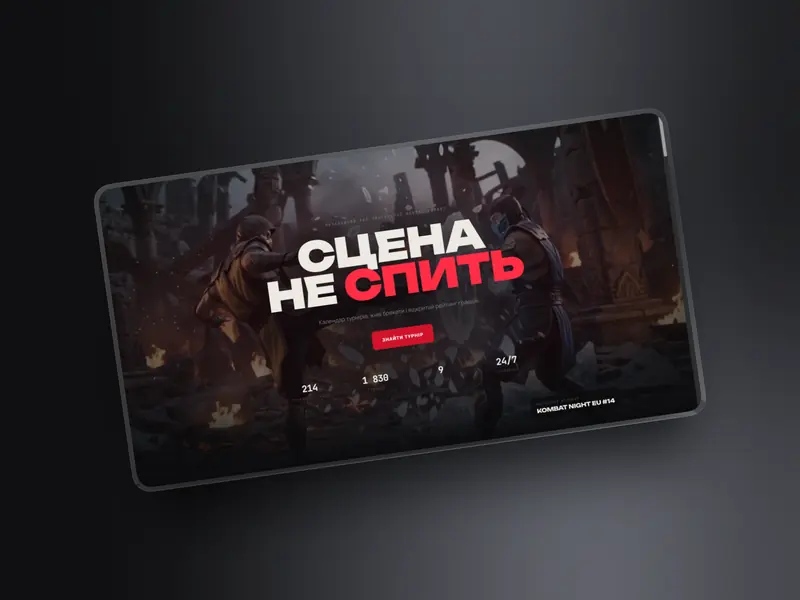
An independent hub for competitive Mortal Kombat
View case studyWe design interfaces for services, dashboards and apps: user research, scenarios, prototype testing. The result is a product that makes sense from the first click.
Technology
In detail
UX is the logic: the steps a person takes to reach a goal, where they hesitate and why they give up. UI is how that logic looks: buttons, colours, type, states. Great UI without thought-through UX is a beautiful product that’s awkward to use. That’s why we always start with research, not layouts.
We talk to users, watch session recordings in Hotjar, go through Google Analytics and study competitors. From that we build a CJM — a customer journey map — and a list of places where the product loses people. Every design decision rests on this data.
If the product is live but conversion is low, we start with a UX audit: we find the problem areas and propose what to fix first.
Before the final design, we build a clickable prototype and put it in front of real users — in person or via Maze. Fixing a scenario mistake in a prototype takes an hour; in finished code it takes a week.
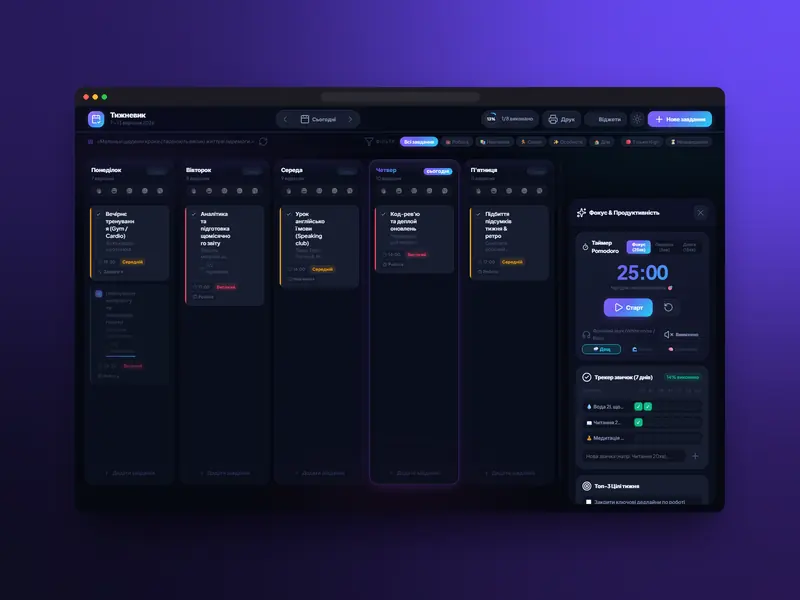
That’s how we designed the MOON hub, where three scenarios — find a tournament, follow a bracket, check a rating — had to be obvious from the first screen, and the Weekly Planner, where a task can be added in a second.
Final screens are built from design-system components: buttons, fields, tables, cards and their states. Developers get one source of truth, and the product stays consistent as it grows. For apps we follow the iOS and Android guidelines — see mobile app development.
Users sign up but don’t come back. Support answers the same “where is…” questions every day. Conversion from trial to paid is low, and the team argues about what to change because everyone relies on their own opinion. These are typical symptoms of UX problems, not marketing ones.
In such cases we start with a UX audit and data: where exactly people abandon a scenario, what they look for and can’t find. Often a few targeted changes — a different step order, clearer button copy, a hint in an empty state — do more than a full redesign.
UX/UI design costs from $150 and takes 3–7 days. The price depends on the number of screens, the depth of research and the number of testing rounds. Get an estimate in the calculator; the exact price is fixed after the brief.
Process
User interviews, competitor analysis and analytics data. We find where people get stuck.
1–2 daysWe map the user journey and the key scenarios the product must cover.
1 dayWe build a clickable prototype and test it with real users.
1–2 daysWe design the final screens and the components developers will reuse.
1–2 daysQuestions
From $150. The price depends on the number of screens and the amount of research and testing. We fix the exact figure after the brief.
3–7 days: research, scenarios, a prototype, testing and final screens with a design system.
An analysis of an existing product: we find where users get confused or abandon a scenario and give you a prioritised list of changes.
Yes. We run usability tests in person or via Maze to check the scenarios before development.
Yes. We hand over Figma files with a design system, components and element states.
Web design is the visual side of a site. UX/UI design adds user research, scenarios, prototypes and testing — it’s needed for complex products: services, dashboards, apps.
Yes. A UX audit of an existing product is a separate service: you get a prioritised list of problems and recommendations your team can implement.