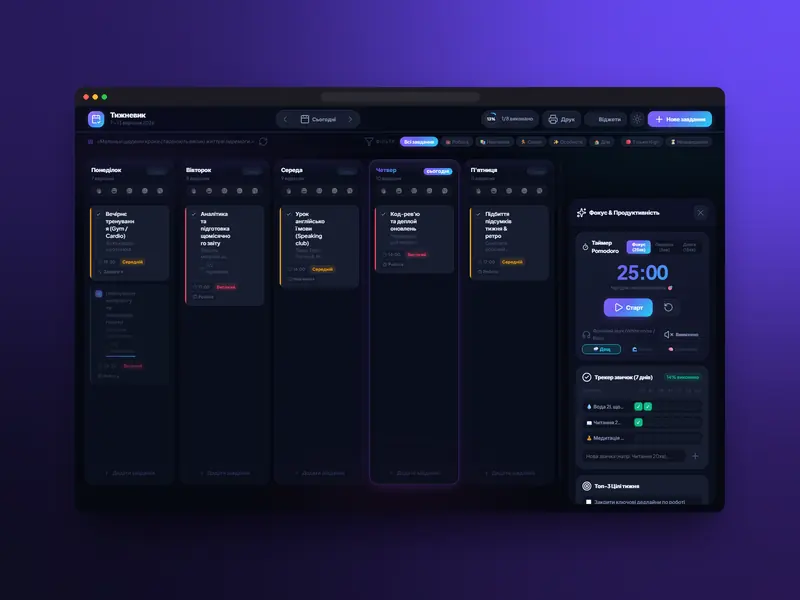
Weekly Planner
A web app for planning your week
View case studyiOS and Android apps — from an MVP that tests the idea to a full product with a backend, payments and push notifications.
Technology
In detail
An app costs several times more than a website, so first we honestly check whether you need one. It pays off when people use the service regularly: ordering delivery, booking, collecting points, working with an internal tool. Push notifications, camera and location access, offline work — things a website can’t do or does worse.
If a web app or a PWA does the job, we’ll say so and save your budget.
The best start is an MVP: a first version with the minimum features that already solves the user’s main problem. It lets you test the idea on real people in 18–30 days, not six months. Then we grow the product based on analytics, not guesses.
In most cases we recommend cross-platform development with Flutter or React Native: one codebase for iOS and Android, a faster launch and cheaper maintenance. Native development in Swift and Kotlin is needed when peak performance or deep hardware access matters. We choose together and explain the difference in price and timeline.
An app almost always needs a backend: users, data, an admin panel for your team. We build it on Node.js or Firebase and connect payments, maps and push notifications. We test on real devices, prepare screenshots and descriptions for the stores and go through App Store and Google Play publishing with you.
Interface design is a big part of this — more on the UX/UI design page.
The most expensive mistake is trying to do everything at once: a first version with dozens of features ships six months later, when the market has already moved. The second is skipping the prototype and user testing — then awkward scenarios surface after publishing, in store reviews.
The third is forgetting the backend and admin panel: the app works, but the team can’t change a price, a promo or a text without a new release. We build an admin panel into the first version, plus event analytics, so after launch you can see which features people use and which to drop.
A mobile app costs from $2,000 and takes 18–30 days. The price depends on the number of screens, the level of design, integrations and whether native development is needed. Get an estimate in the calculator; the exact figure is fixed in the contract after the brief.
Process
We set the goals, the audience and the minimum feature set for the first version.
up to 1 dayWe design the scenarios and build a clickable prototype you can show to users or investors.
1–2 daysWe design every screen following the iOS and Android guidelines.
1–5 daysWe build the app and backend, connect payments and push, and test on real devices.
18–30 daysWe prepare the store listings, publish to the App Store and Google Play, and support updates.
ongoingQuestions
From $2,000 for an iOS and Android app with UX/UI, cross-platform development, a backend and admin panel, push notifications and store publishing. The exact price is fixed in the contract after the brief.
18–30 days depending on the feature set. You’ll see the first designs within 1–2 days.
Yes. Cross-platform development with Flutter or React Native gives one codebase for both platforms. Native development in Swift and Kotlin is available when needed.
Yes. We prepare the store listings and go through publishing with you.
We support the app: updates for new iOS and Android versions, fixes, new features. Support is agreed separately.
Yes. A clickable Figma prototype with the key scenarios can be shown to investors or early users before development — it’s a separate UX/UI design stage.
On real iOS and Android devices, not just emulators: we check scenarios, payments, push notifications and different screen sizes.